
CarouselKit — plug-in Batch Export No-Crop with Padding
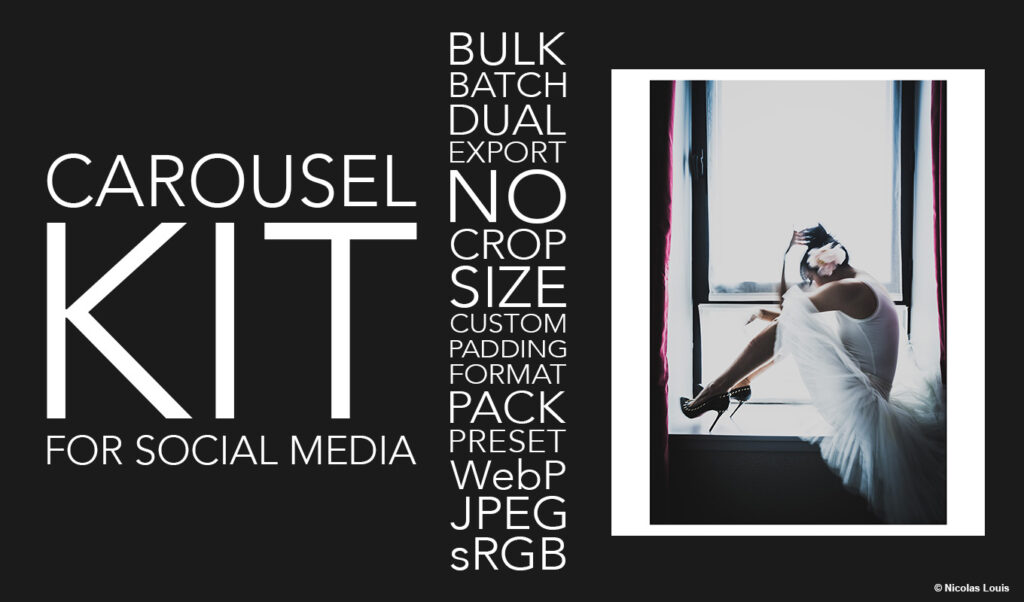
ADAPT THE FRAME, NOT THE PHOTO

CarouselKit is a plug-in designed to generate carousel/slider-ready visuals in just a few clicks — without cropping.
You pick a format (or a custom size), add padding/margin (white by default, or any HEX color), then export to WebP or JPEG with sRGB conversion for consistent, web-reliable color.
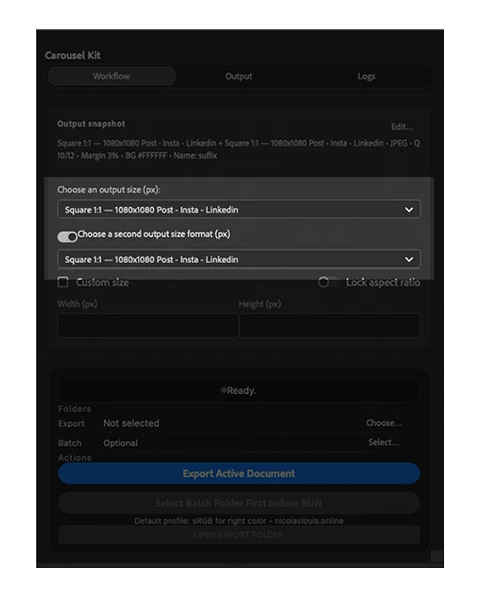
Export two sizes simultaneously.
Ideal for: social media carousels, WordPress/other CMS sliders, social content, e-commerce, and presentations.
Download
➡️ Get CarouselKit on Adobe Exchange
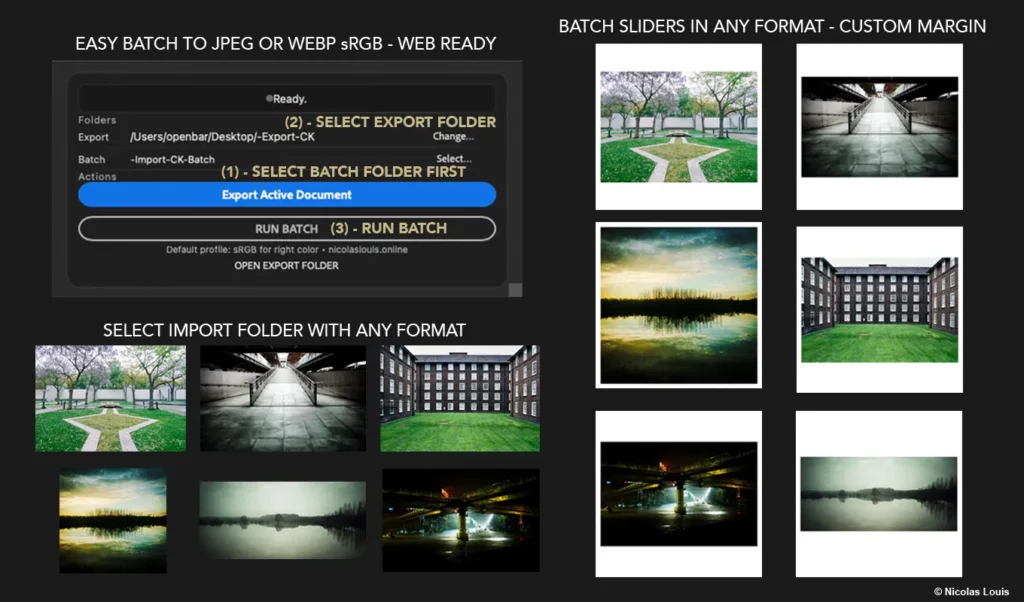
The problem it solves
When you need to deliver images with different aspect ratios, you usually end up:
- cropping (and losing part of the image),
- manually faking backgrounds,
- batch-exporting with inconsistent settings.
CarouselKit follows a simple rule: adapt the frame, not the photo.
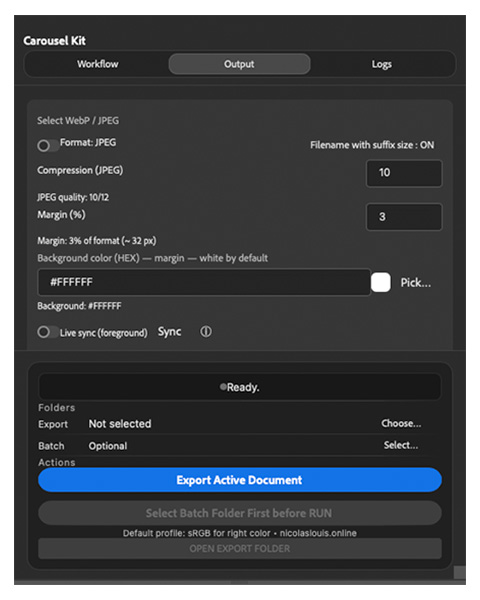
Key features
- Simultaneous dual-format export
- Batch export from a folder (production workflow)
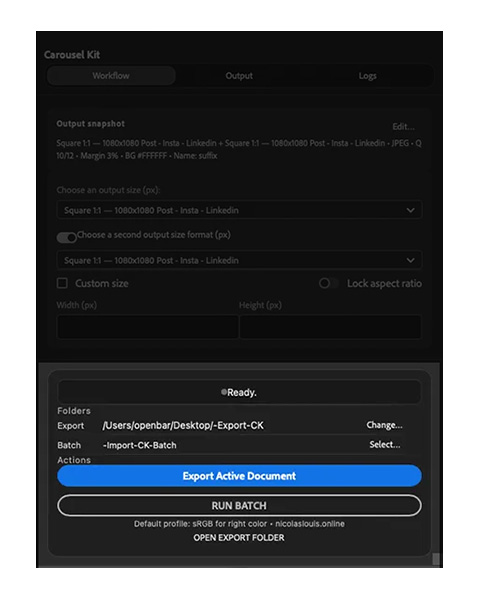
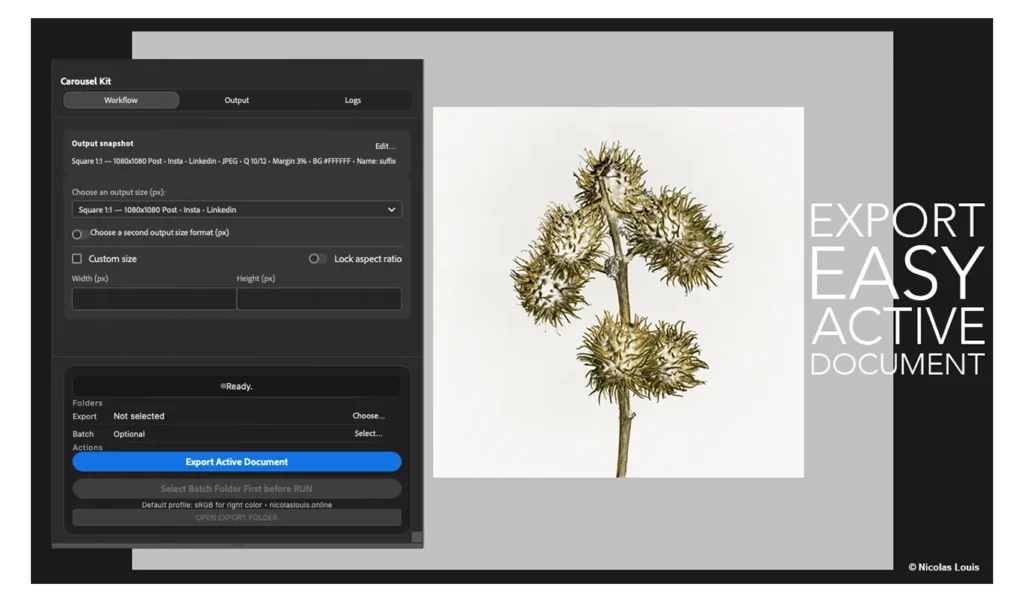
- Export active document (fast workflow)
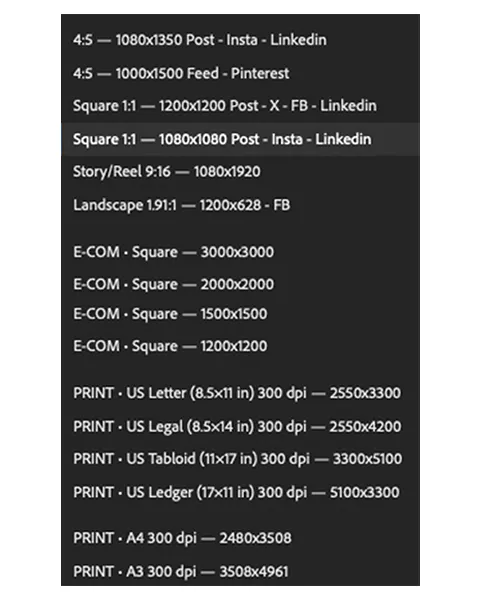
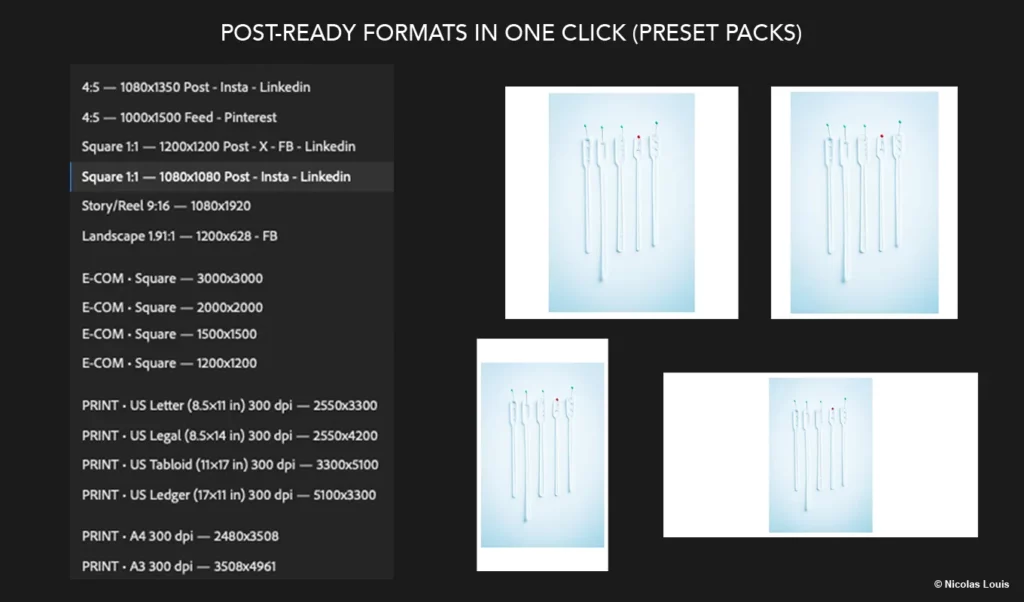
- Format presets + Custom size (width/height in pixels)
- Lock aspect ratio option
- Adjustable padding / margin (thickness)
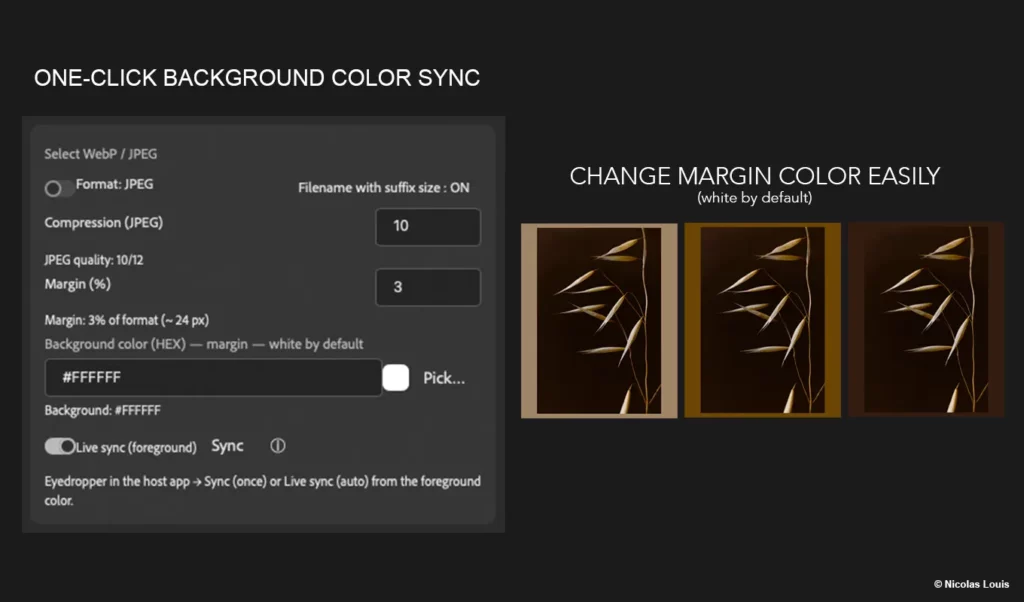
- Background color via HEX (white by default)
- Export WebP or JPEG + quality/compression control
- sRGB conversion for consistent web color management
Use cases
- Carousels: clean, consistent series, zero crop
- WordPress / CMS sliders: aligned exports, ready to integrate
- E-commerce / brand content: fast variations (same templates, consistent background)
- Portfolios / decks: standardize mixed ratios without distortion
How it works
- Select an import folder (batch) or work on the active document
- Choose a format (or custom size)
- Adjust padding and background color (HEX)
- Export WebP/JPEG to your destination folder
Download
➡️ Get CarouselKit on Adobe Exchange
Support
Support: lestudio@nicolaslouis.online
Response time: 48–72 business hours
Privacy
CarouselKit processes images locally on your computer.
No personal data is collected — no tracking, no server upload: your files stay with you.
Compare — CarouselKit vs Lite
| Feature | CarouselKit for Adobe Photoshop | Carousel Kit Lite for Lightroom Classic |
|---|---|---|
| Host app | Adobe Photoshop (UXP panel) | Adobe Lightroom Classic (Export plugin) |
| Output formats | ✅ WebP / ✅ JPEG (toggle) | ✅ JPEG (sRGB only) |
| Dual export (2 sizes at once) | ✅ Yes (optional 2nd output) | — |
| Custom size (px) | ✅ Yes | ✅ Yes |
| Presets | ✅ Social / E-com / Print (grouped) | ✅ Social / E-com / Print (via export preset) |
| Margin / Padding | ✅ Adjustable (%) | ✅ Fixed 3% (white) |
| Background color (HEX) | ✅ Yes (#RRGGBB + picker + sync) | — (white only) |
| Batch | ✅ Yes (folder batch) | ✅ Yes (via Lightroom Classic Export) |
| Naming | ✅ Suffix ON/OFF + anti-overwrite for 2nd output | ✅ Optional suffix (preset) + duplicate protection |
| Output folder handling | Inside the plugin (Choose export folder) | Inside Lightroom (Location / File Naming) |
| OS | macOS / Windows (depending on Adobe Photoshop) | macOS (uses the system tool sips) |
| Minimum version | Adobe Photoshop ≥ 25.0 (Manifest v5) | Adobe Lightroom Classic (SDK min 5.0) |
*Quick summary: CarouselKit is a complete Adobe Photoshop pipeline (WebP/JPEG, dual export, HEX background color). Lite is an Adobe Lightroom Classic export preset workflow: sRGB JPEG + fixed white margin (macOS).
Legal / Credits
“Is CarouselKit an Adobe product?” No. CarouselKit is a third-party plugin. It is not affiliated with Adobe.
CarouselKit is an independent product developed by Nicolas Louis.
Adobe and Photoshop are either registered trademarks or trademarks of Adobe in the United States and/or other countries.
CAROUSEL KIT LITE for Lightroom Classic

What this plugin does
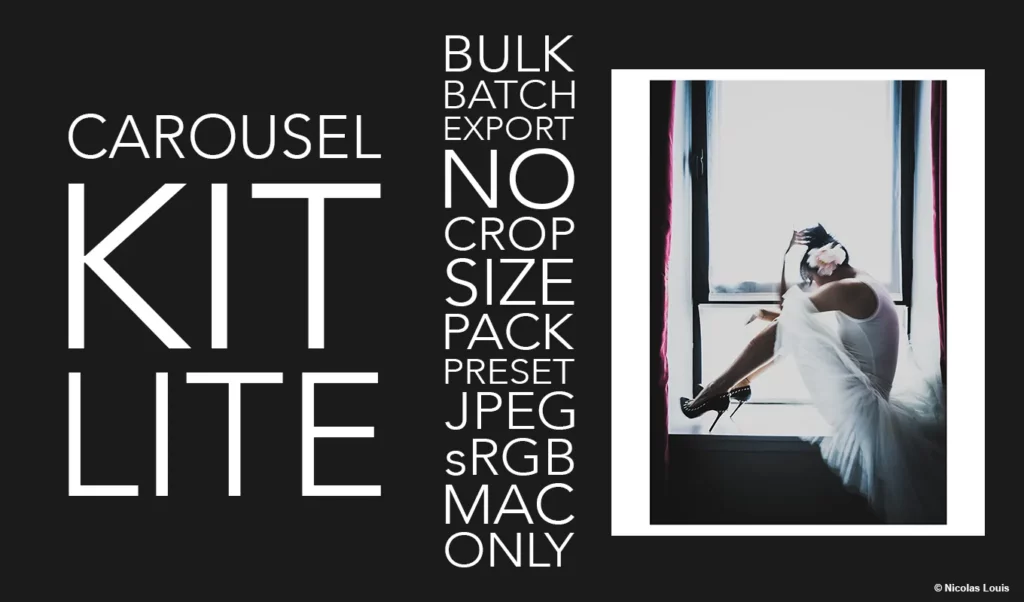
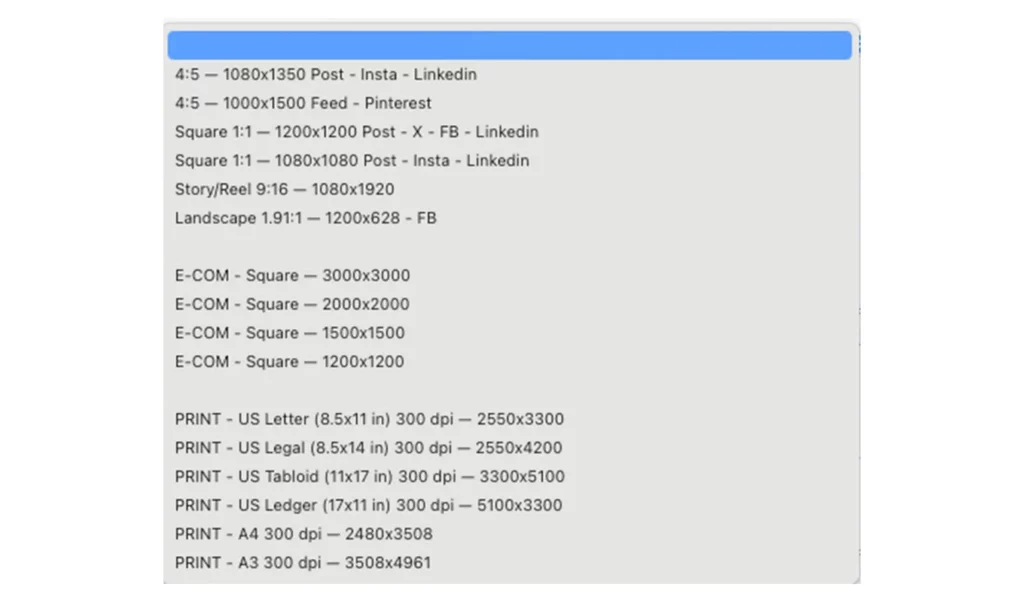
Carousel Kit Lite for Lightroom Classic adds a set of export size presets inside, so you can export to common Social / E-commerce / Print formats in a few clicks. Mac os only.
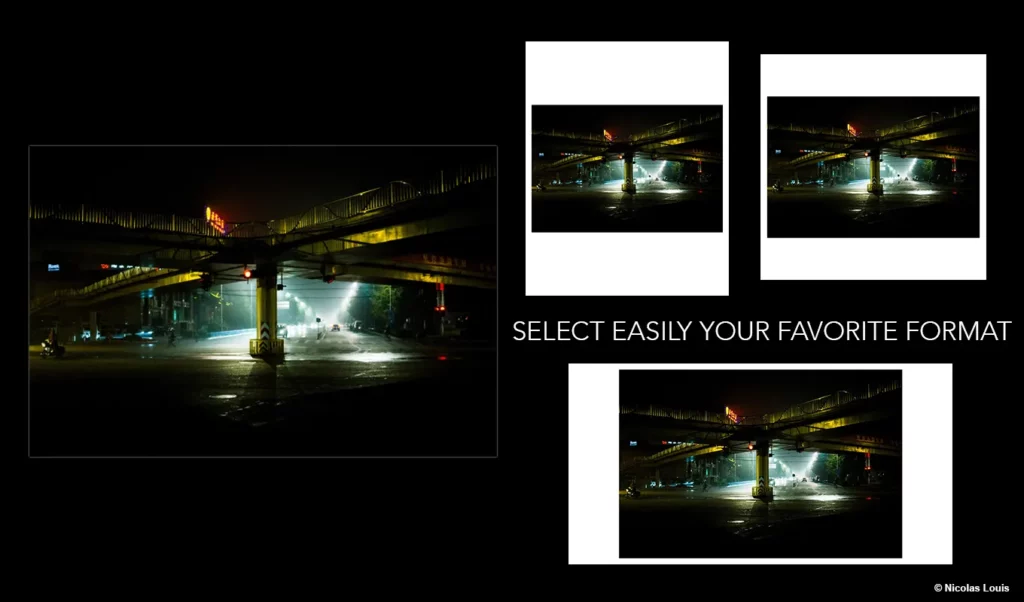
Carousel Kit Lite follows a simple rule: adapt the frame, not the photo.
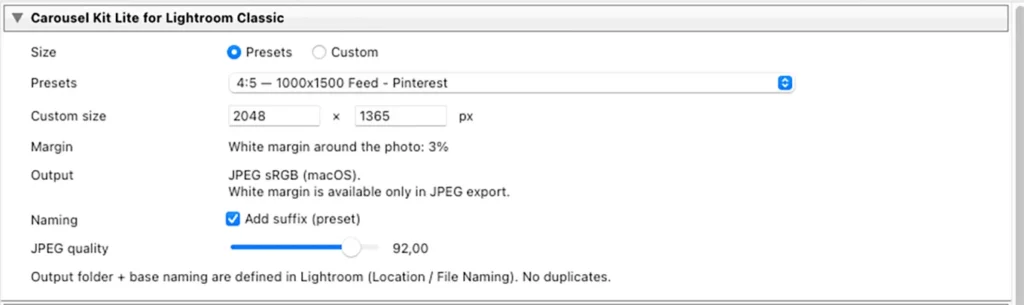
Key features
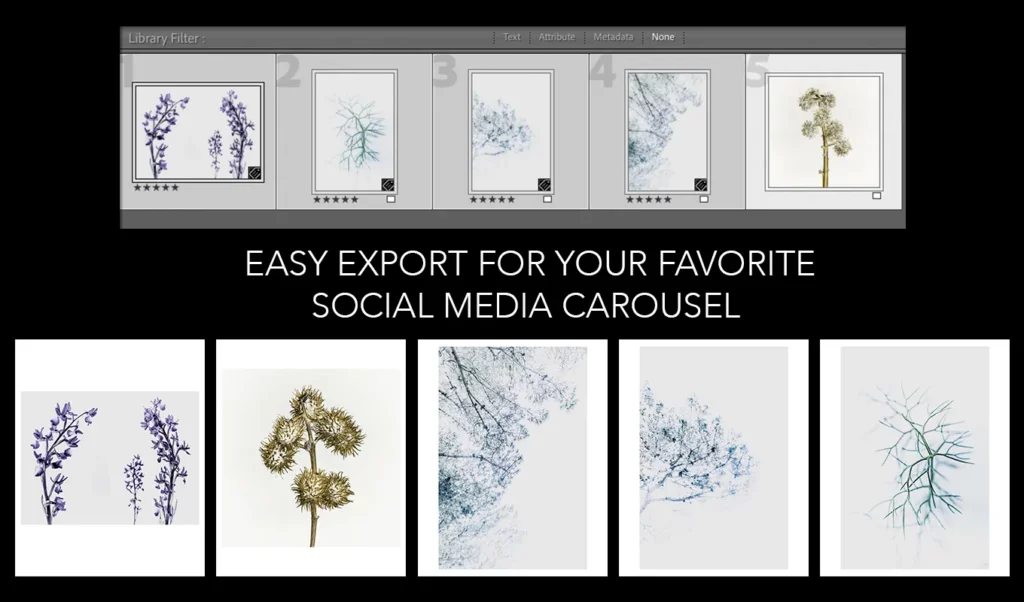
- Batch export from a selection (production workflow)
- Export select document (fast workflow)
- Format presets + Custom size (width/height in pixels)
- padding / margin 3%
- Background color white by default
- Export JPEG + quality/compression control
- sRGB conversion for consistent web color management
➡️ Get Carousel Kit Lite on Adobe Exchange
Compatibility
- macOS only (Windows is not supported)
- Lightroom Classic (Export Service plugin)
Installation
- Download the
.lrpluginpackage. - In Lightroom Classic: File → Plug-in Manager…
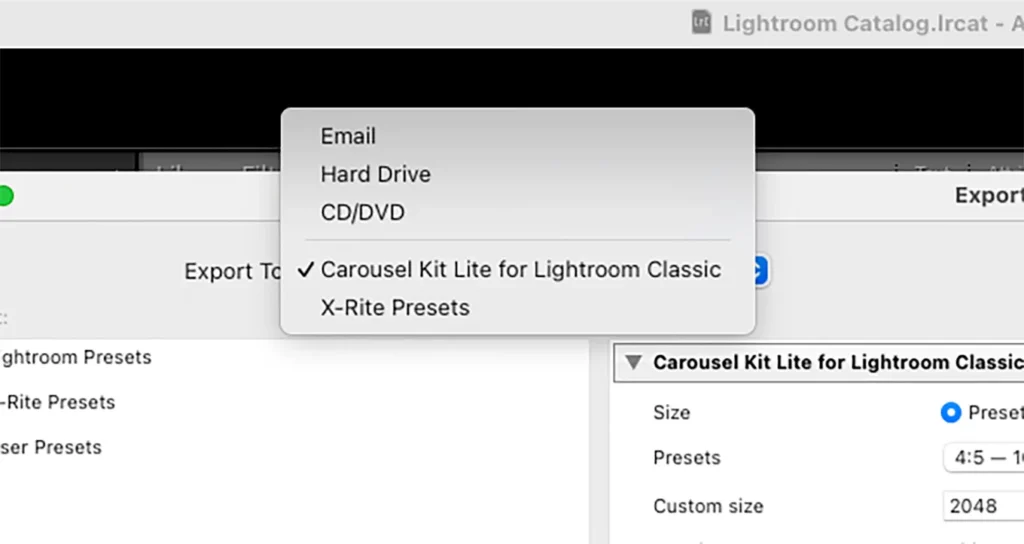
- Click Add, select the
.lrplugin, then Enable it. - The presets will appear in File → Export… under the CarouselKit Lite section.
How to use
- Go to File → Export…
- Choose a Carousel Kit Lite preset.
- Review any optional settings (quality, watermark, metadata, output folder).
- Click Export.
➡️ Get Carousel Kit Lite on Adobe Exchange
Troubleshooting
I don’t see the presets
- Make sure the plugin is Enabled in Plug-in Manager.
- Restart LR Classic after installing/updating the plugin.
- Verify you installed the
.lrpluginfolder (not just the files inside it).
Export sizes don’t match what I expect
- Check if another export preset overrides resizing/output settings.
- Confirm you’re selecting the Carousel Kit Lite preset in the export dialog (not a different saved preset).
macOS security warning
- If macOS blocks the plugin, allow it in System Settings → Privacy & Security, then reopen LR Classic.
Support
Email: lestudio@nicolaslouis.online
To speed things up, please include:
- Lightroom Classic
- macOS version
- A screenshot of your Export dialog + Plug-in Manager
Privacy
Carousel Kit Lite does not collect, transmit, or store personal data. Everything runs locally in Lightroom Classic.
Compare — CarouselKit vs Lite
| Feature | CarouselKit for Adobe Photoshop | Carousel Kit Lite for Lightroom Classic |
|---|---|---|
| Host app | Adobe Photoshop (UXP panel) | Adobe Lightroom Classic (Export plugin) |
| Output formats | ✅ WebP / ✅ JPEG (toggle) | ✅ JPEG (sRGB only) |
| Dual export (2 sizes at once) | ✅ Yes (optional 2nd output) | — |
| Custom size (px) | ✅ Yes | ✅ Yes |
| Presets | ✅ Social / E-com / Print (grouped) | ✅ Social / E-com / Print (via export preset) |
| Margin / Padding | ✅ Adjustable (%) | ✅ Fixed 3% (white) |
| Background color (HEX) | ✅ Yes (#RRGGBB + picker + sync) | — (white only) |
| Batch | ✅ Yes (folder batch) | ✅ Yes (via Lightroom Classic Export) |
| Naming | ✅ Suffix ON/OFF + anti-overwrite for 2nd output | ✅ Optional suffix (preset) + duplicate protection |
| Output folder handling | Inside the plugin (Choose export folder) | Inside Lightroom (Location / File Naming) |
| OS | macOS / Windows (depending on Adobe Photoshop) | macOS (uses the system tool sips) |
| Minimum version | Adobe Photoshop ≥ 25.0 (Manifest v5) | Adobe Lightroom Classic (SDK min 5.0) |
*Quick summary: CarouselKit is a complete Adobe Photoshop pipeline (WebP/JPEG, dual export, HEX background color). Lite is an Adobe Lightroom Classic export preset workflow: sRGB JPEG + fixed white margin (macOS).
Legal / Credits
“Is Carousel Kit Lite an Adobe product?” No. Carousel Kit Lite is a third-party plugin. It is not affiliated with Adobe.
Carousel Kit Lite is an independent product developed by Nicolas Louis.
Adobe and Lightroom Classic are either registered trademarks or trademarks of Adobe in the United States and/or other countries.